Patent Connector 1.3: now it speaks human


Patents are written in a secret language: the kind you get when legalese and engineering specs have a child and let a filing cabinet name it. That is how you end up with classification codes like C02F1/4604, which sounds like a malfunctioning robot but actually means "removing salt from seawater."
Patent Connector 1.3 fixes that. You can now talk to the patent system the way you actually think.
Search by meaning, not magic words
Before, finding the right classification or the right rule meant knowing the exact jargon. Type a slightly wrong synonym and you got nothing back, like a vending machine rejecting a perfectly good but slightly crumpled bill. And even once you found a code, exploring the ones around it meant knowing the map by heart.
Now the connector has built-in semantic AI search. You describe what you mean, in plain language, and it finds the right place:
- "handing off a wireless call between cell towers" finds the mobile handover class
H04W36 - "a machine that gathers up potatoes and beets" finds the class that genuinely exists for exactly that,
A01D51 - "removing salt from seawater to make it drinkable" turns up the desalination class
C02F1/4604
It matches what you mean, not just the words you typed. It will not, however, find your car keys. I tried.
And landing in the right place is only half of it. From there the classification's tree structure lets you navigate the way a person actually thinks: step up to the broader category to get your bearings, down into the specifics, or sideways to the neighbors, without having to know the codes in between. Semantic search drops you at the right door; the hierarchy lets you walk the building.
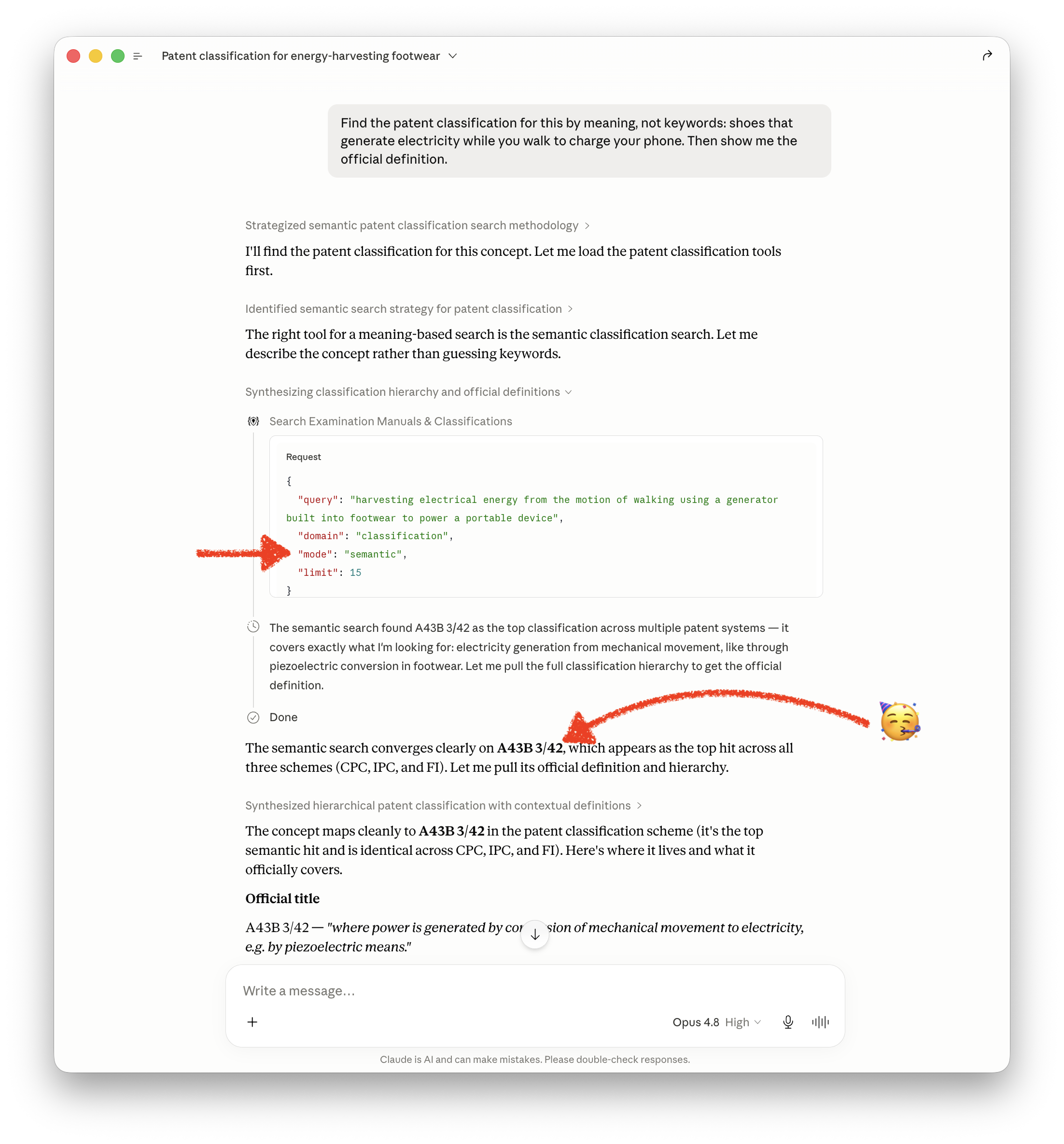
This matters even more once an AI agent is doing the looking. The classification systems and the F-term index are enormous, far too big to hand to a model all at once. So without semantic search an agent is stuck with the same two bad options a person had: guess keywords and synonyms and hope, or crawl the tree node by node and try to make sense of it the way a human would. Both are slow and brittle. Semantic search drops the agent at the right door directly, and the hierarchy is there for it to walk the building from a sensible starting point, so it can spend its effort on the actual question instead of on finding the right shelf.
The same problem, and the same fix, applies to the examination manuals, the rulebooks the offices follow. The EPO launched an AI chatbot for navigating its own guidelines, which I wrote about and genuinely liked. Patent Connector now gives an AI assistant that same plain-language access to the manuals, but across many offices rather than one, and from the same place as the classifications.
What is now built in
Three big reference libraries now ship with the connector. No extra API keys, no setup, no forms in triplicate:
Classification systems (CPC, IPC, FI). The giant card catalog of all technology, with the full hierarchy, plain-language definitions, cross-references between the systems, and the catchword index. Ask "where does this belong?" and get a real answer.
Examination manuals. The actual rulebooks the patent offices follow: the USPTO MPEP and TMEP, the EPO, EUIPO and WIPO guidelines, plus IP Australia, Korea, Japan and Germany. So when you wonder "what is the rule on obviousness again?", it points you to the exact section (somewhere around MPEP 2141, since you asked).
The JPO F-term index. Japan's gloriously thorough way of slicing technology into themes, viewpoints and terms. Brand new, and fully searchable.
Why this is a quietly big deal
The patent world runs on knowing the codes. That is a moat, and it keeps a lot of normal humans out. Semantic search drains the moat. You bring the idea that is in your head, and the connector translates it into the system's own language.
Every classification, manual section and F-term, over a million of them, was turned into a kind of mathematical fingerprint of its meaning by a recent AI model, then indexed so your plain question can be matched by meaning rather than by exact spelling. It runs on its own dedicated machine so it stays fast, and results are grouped by office, so the American, European and Japanese answers never get blended into one confusing smoothie.
Try it
Point your connector at questions like:
- "What classification covers wireless charging for electric vehicles?"
- "Find the guideline on patenting software."
- "Which F-term themes cover lithium battery electrodes?"
No codes required. Just say what you mean, and let the robot remember the secret language.
What is next
A few things on the horizon, roughly in the order people ask for them:
More patent offices, live. Today the connector pulls live patent data from the US, Europe and Germany, and it already reads the rulebooks of Japan, Korea and Australia. The next step is connecting their live data too: searching and retrieving straight from the JPO in Japan, KIPO in Korea and IP Australia. The reference layer already speaks their language, so the goal is to let you pull their actual filings the same way you pull a US patent today.
A command-line version, for AI agents that use the terminal. A growing class of AI tools get their work done by running command-line programs, so the next interface is a CLI: expose the patent tools as a command and any such agent can use them directly, with a coding agent looking something up mid-task being the obvious case. It works just as well for plain automation: push a thousand patent numbers through it overnight, wire it into a spreadsheet, or drop it into a scheduled job. No chat window required.
A principle sits behind that list: connect only first-party sources, the offices' own data and official APIs, and nothing reverse-engineered from a website. That is why you will not find Google Patents here. It is a fine resource, but bolting it on would be a hack, and the big chatbots already reach it through ordinary web search. What they cannot reach is the patent offices' own APIs, the authoritative source, and that is the gap worth filling. It is also why the trademark search above waits for a real API rather than scraping a results page.
None of this comes with a date attached. It is the direction, and the order is mostly set by what you tell me you need. If something here made you think "oh, I want that," that is exactly the feedback that moves it up the list.
For the engineers: how it works, and what it deliberately does not use
A note for the technically curious, because the interesting part is mostly what is not in the stack.
No search engine, no vector database. There is no OpenSearch, no Elasticsearch, no Pinecone, no Weaviate, no separate vector store of any kind. The whole reference system is one Go service plus one MySQL database. Keyword search is MySQL InnoDB FULLTEXT. The semantic vectors live as plain VARBINARY columns in that same MySQL. That is the entire data tier: fewer moving parts, nothing extra to operate, nothing to keep in sync.
Hybrid search, built in-process. On startup the service streams the embeddings out of MySQL in batches (off the request path, so a cold start never blocks a query) and builds an in-memory index in Go. The vectors are int8-quantized (L2-normalized, then scaled to bytes), so roughly a million of them sit in about a gigabyte of RAM and a query scores against the whole set with a tight integer dot-product loop. Each query runs both the keyword side and the semantic side and fuses the results, then groups them per office or scheme so the US, European and Japanese answers rank within their own group instead of being blended together.
Embeddings on a GPU, serving on a CPU. Generating the embeddings is the expensive part, so it happens once on a GPU box (CUDA via ONNX Runtime): about 1.04 million vectors across classifications, manuals and the F-term index in roughly half an hour. Those vectors are then shipped to the production machine and served on plain CPU (ONNX Runtime with AVX2). At request time only the user's query needs to be embedded, which is a single forward pass at around 100ms on CPU. There is no GPU in production.
I actually tested the models. Choosing the embedding model was a bake-off, not a vibe. I re-embedded the classification corpus with each candidate and scored retrieval on a fixed set of known-answer queries using mean reciprocal rank:
- the winner scored about 0.87 on my query set and is what ships: a retrieval-tuned model
- it beat a strong general-purpose model (about 0.77), which in turn beat two other well-regarded open models
- the previous default model came in behind all of them
- one well-known model scored terribly, which turned out to be a last-token versus mean pooling mismatch in my runtime rather than a bad model: a useful reminder to measure the whole pipeline instead of trusting a leaderboard
The winner is a 1024-dimension multilingual model (handy for non-English patent text) that still answers in about 100 ms per query on CPU.
Why no third-party stack? Because the dataset is bounded. It is about a million reference entries, not a billion web documents, so it fits comfortably in memory, and a dedicated search cluster would be more to run, more to pay for, and more to break than it would ever be worth here. MySQL for storage, Go for the index and the fusion, ONNX Runtime for the model. That is the whole dependency list.