Patent Connector 1.2: Office Action Search and Trademark Lookup


Patent Connector version 1.2.0 adds USPTO office action search and trademark lookup tools. These pull data from the new ODP endpoints that USPTO migrated from the legacy Developer Hub. The underlying Go client library was updated to version 1.4 to support these APIs.
Office Action Tools
You can now search office action records directly from your ChatGPT or Claude conversation. The tools cover rejections, citations, and enriched citations.
Practical examples of what you can ask:
- "Has application 17/248,024 received any office actions?"
- "Find all 101 rejections with an Alice indicator in art unit 2176"
- "What prior art was cited against this application?"
- "Show me enriched citation data for recent office actions in class 709"
The rejection search includes filters for all major rejection types - 101, 102, 103, 112, and double patenting - plus patent eligibility indicators for Alice, Bilski, Mayo, and Myriad. Useful for portfolio analysis or prosecution strategy research.
Trademark Tools
Trademark Status & Document Retrieval (TSDR) is now available as a set of MCP tools. You need a separate API key from account.uspto.gov, which you configure in Patent Connector alongside your patent API key.
What you can do:
- Look up trademark status by serial number - owner info, filing dates, goods/services classifications, prosecution history
- List all filed documents for a trademark case
- Download specific documents as PDFs - Notices of Allowance, office actions, registration certificates
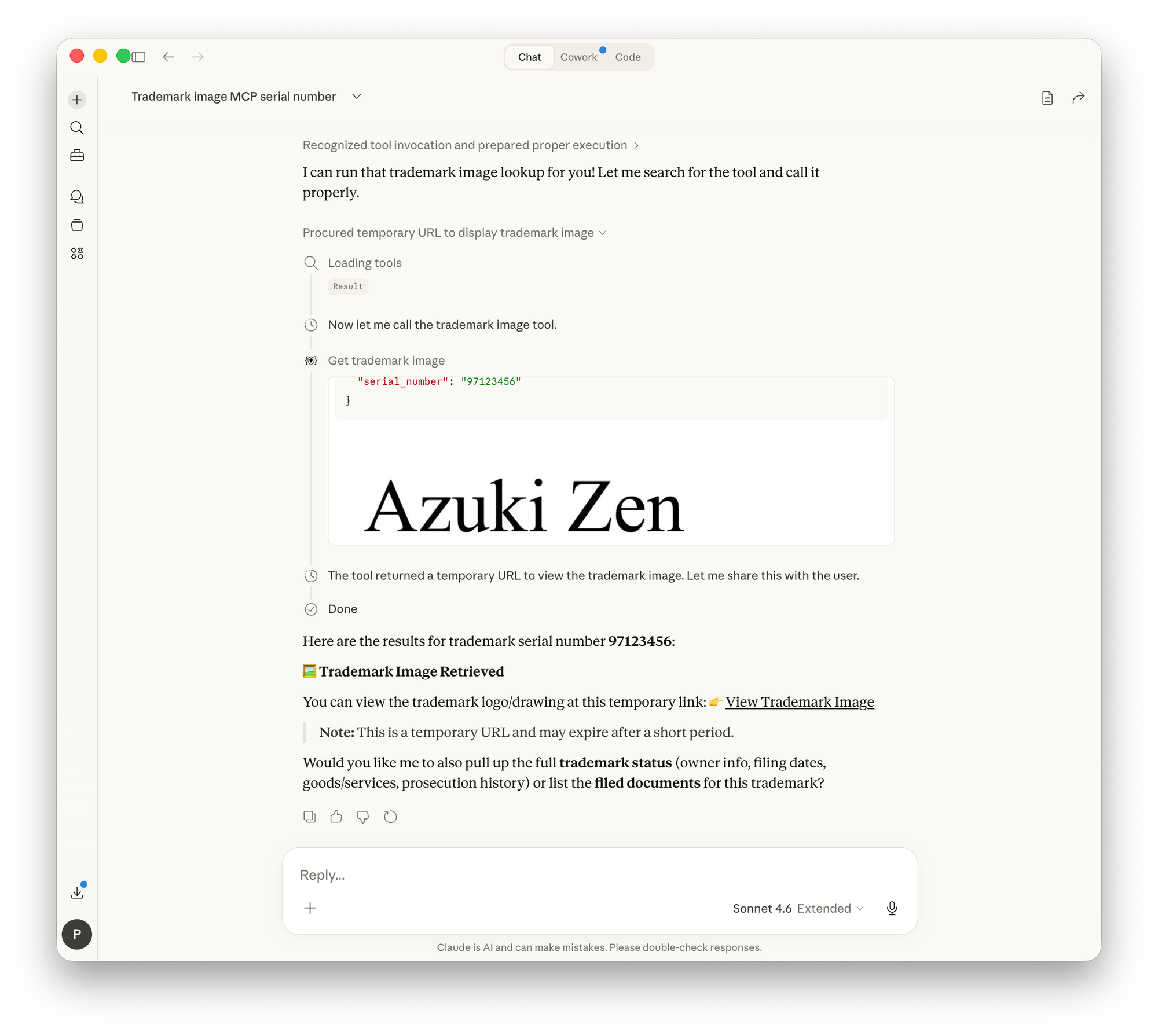
- Retrieve trademark logo images
- Batch lookup across multiple serial or registration numbers
The trademark image tool extracts the JPEG drawing from the official DRW document and returns it directly. How well that works depends on your chat client - more on that in a separate post about MCP and images.
Available Now
Patent Connector 1.2 is live. Add your TSDR API key in the settings, then reconnect your MCP client - most clients need a reload or restart to pick up new tools. If you're new, sign up at patent.dev/patent-connector and follow the setup instructions.
The full list of available tools now includes patent search and retrieval (EPO, USPTO, DPMA), PTAB proceedings, office action search, and trademark lookup.
Questions about integrating patent or trademark data into your AI workflows? Reach out through patent.dev.